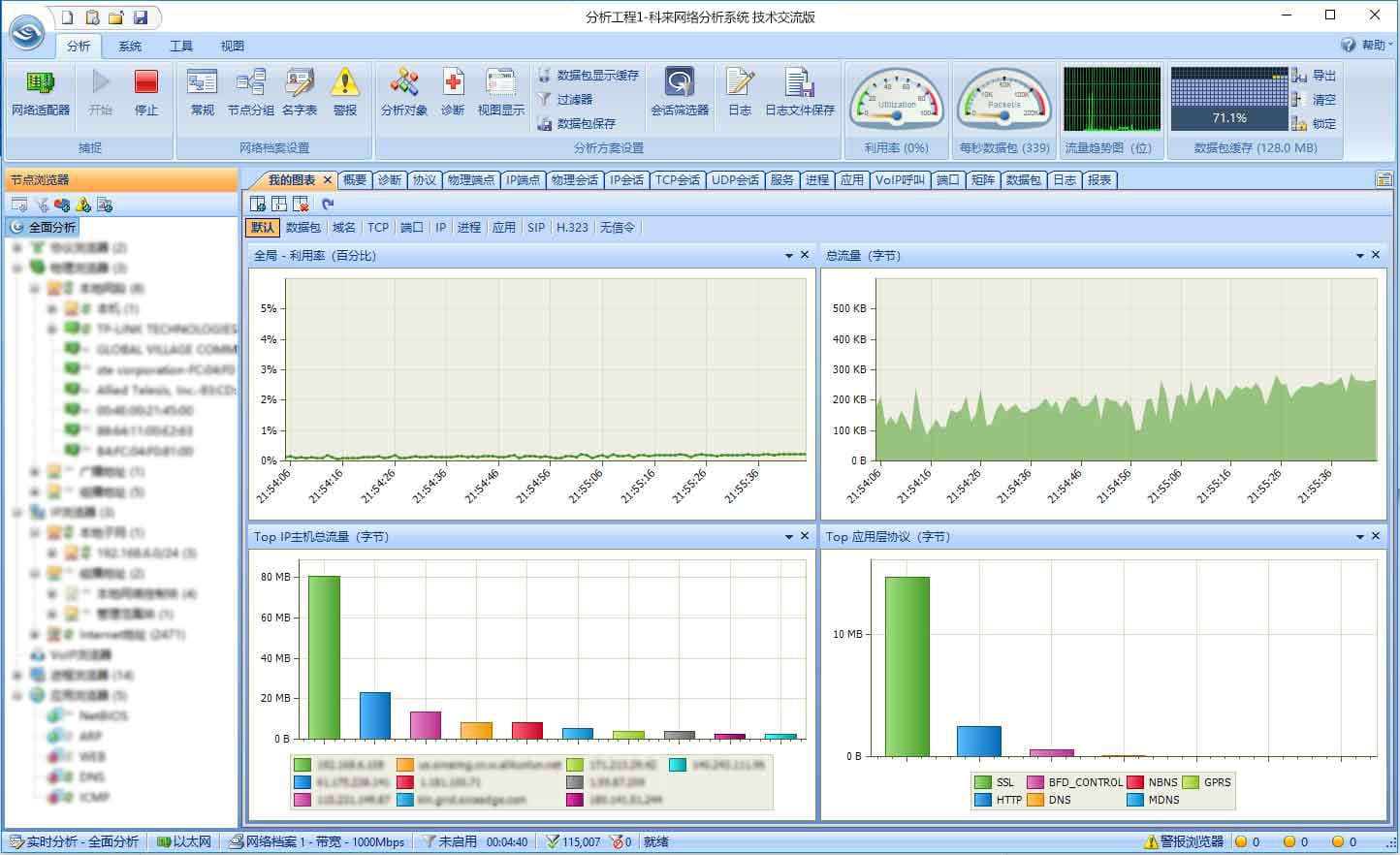
Colasoft Capsa Free Network Analyzer is a comprehensive network analysis product that integrates packet capture, protocol decoding and analysis, traffic statistics, fault diagnosis, and performance management. It delivers high-precision network diagnostic analysis, provides a multi-level overview of network communication, and effectively assists network administrators in managing network applications.
Colasoft continuously invests in the recognition and parsing capabilities of fundamental protocols, achieving substantial progress in both the types and quantity of supported protocol analysis. Users can enjoy increased efficiency in scenarios such as performance analysis and protocol decoding. Network security has become a major area of focus for O&M professionals, requiring deeper consideration and robust defense strategies.
Colasoft CSNAS can efficiently identify sessions within massive amounts of packet data, reconstruct session data streams, and perform session analysis for security incidents such as web attacks, spam analysis, and mining/ransomware viruses. This enables rapid determination of whether internal hosts have been attacked.
| Platform | Windows Server 2008/Vista/7/8/10 |
| Version | 11.1 |
| Name | csnas_tech_15.2.0.15292_x64.zip |
| Language | English |
| Size | 82.6 MB |
| License | Personal, non-commercial use |
| MD5 | eb572898b1ee302218886dd2e7a7c1fe |
| Updated | 04/25/2018 |
Recommended Specifications | Operating System Requirements | Notes |
|---|---|---|
| CPU: Intel Core2 Quad 3.2GHz | Windows 7 SP1 (KB3033929) 64-bit version | • Only 64-bit operating systems are supported. • Except for installation, program no longer requires administrator privileges to start. • If you have installed an older version of Colasoft CSNAS, please uninstall it and restart your computer first (make sure to remove the auto-preserved old program data directory). |
| Memory: 8GB RAM or higher | Windows 8.1 64-bit version | |
| Browser: Internet Explorer 11.0 or above, Chrome, Firefox, Microsoft Edge | Windows 10 64-bit version | |
Network Requirement | Windows 11 64-bit version | |
| One wired network adapter | Windows Server 2012/2012 R2/2016/2019/2022 64-bit version |
Key Features of Capsa Enterprise

Real-time Packet Capture
Real-time packet capture as well as the ability to save data transmitted over local networks, including wired network and wireless network like 802.11a/b/g/n.

Advanced Protocol Analysis
Support 1800+ protocols and sub-protocols, including VoIP, as well as network applications which are based on the protocol analysis.

User-friendly Dashboard
Easy to use Overview Dashboard allows you to view network statistics at a single glance, allowing for quick interpretation of network utilization data.

Multiple Network Behavior Monitoring
E-mail and instant messaging traffic can be monitored and stored, helping identify security and data handling violations.

Quickly Pinpointing Network Problems
Suspicious hosts can be detected and diagnosed enabling you to pinpoint network problems in seconds.

Extensive Statistics of Each Host
Map the traffic, IP address, and MAC of each host on the network, allowing for easy identification of each host and the traffic that passes through each.
Key Feature | Capsa Enterprise | Capsa Free |
|---|---|---|
| Price | Paid | Free |
| Trial Download | 30-Day Trial | Download |
| Monitors WiFi Connections |  | No |
| IP Addresses Monitored | | No |
| Session Timeout Length | | No |
| Adapter Monitors | | |
| Manually Save Files | | |
| Online Auto-update | | No |
| Run Multiple Projects | | No |
| Support Multiple Adapters | | No |
| Support Network TAP | | No |
| Printing | | No |
| Export Data | | No |
| Log Output Function | | No |
| Fast Speed Packet Replay | | No |
| Process View | | No |
| Application View | | No |
| TCP Port Scan View | | No |
| VoIP View | | No |
| Save Reports | | No |
| Diagnosis Function | | No |
| Security Analysis Profile | | No |
| Custom Reports | | No |
| Packet Auto-output Function | | No |
| Auto-Scheduling | | No |
| ARP Attack View | | No |
| Worm View | | No |
| DoS Attacking View | | No |
| DoS Attacked View | | No |
| Suspicious Conversation View | | No |
| Trial Download | 30-Day Trial | Download |
| Price | Paid | Free |
Packet Samples
Network information is transmitted through packets of various protocols. Colasoft provides downloadable packet samples for network analysis enthusiasts, supporting your study and research of network protocols. We also welcome you to share your own protocol packet samples so we can all learn and improve together. If you authorize Colasoft to share your samples, you can save them using the auto-save function of Capsa Free, and contact us via email at support@colasoft.com.
To properly use the samples, please follow these steps:
1.Download the demo of Colasoft Capsa and finish the installation.
2.Download and save the analysis sample you are interested in.
3.Double click the sample packet file to open it with Colasoft Capsa.
| Type | Name | Description | Download | ZIP Format |
|---|---|---|---|---|
| Arp-General | Packet file for normal communication packet of ARP | | ||
| ARP-snoop | ARP deceive packet file | | ||
| DNS Error over UDP | Based on error packet of UDP | | ||
| DNS Query over UDP | Based on request packet of UDP | | ||
| DNS Response over UDP | Based on response packet of UDP | | ||
| FTP Control | FTP control connection packet | | ||
| FTP Data | FTP data connection packet | | ||
| HTTP-general | HTTP communication packet in general condition | | ||
| IP-fragments | IP fragment packet | | ||
| Nimda.cscpkt | Nimda virus communication packet | | ||
| TCP-ack-scan | TCP ACK packet attack | | ||
| TCP-syn-attack | TCP SYN packet attack | | ||
| Telnet-general | Telnet logging on packet generally | | ||
| VLAN 802.1Q | Packet with added 802.1Q tag | |
Documentation
We offer professional documents for each product. The following is a list of documents for each product. Some of these documents are in Adobe Acrobat PDF format,for which you'll need to have Adobe's Acrobat reader installed on your machine.
| Colasoft Capsa Enterprise | ||||
|---|---|---|---|---|
| type | Documentation | Version | Size | Download |
| User Guide | 15.1 | 8.02 MB | | |
| Datasheet | 15.1 | 1.11 MB | | |
| Technical Specifications | 15.1 | 452 KB | | |
| White Paper | 15.1 | 832 KB | | |